 RiderLog
My Motorcycle App Lost My Ride
A ride usually disappears for one of three reasons, and only one of them is bad luck. First, the ride lived on the app's server and you lost signal when you pressed save. Second, the app crashed while writing and had no half written copy to fall back on. Third, the phone died and nothing had been flushed to disk. Before you delete anything, check the app's own recovery or unsaved folder, and its web version if it has one. Then pick a recorder that writes to the phone as it goes, not a server at the end.
A recorder built for the bad day
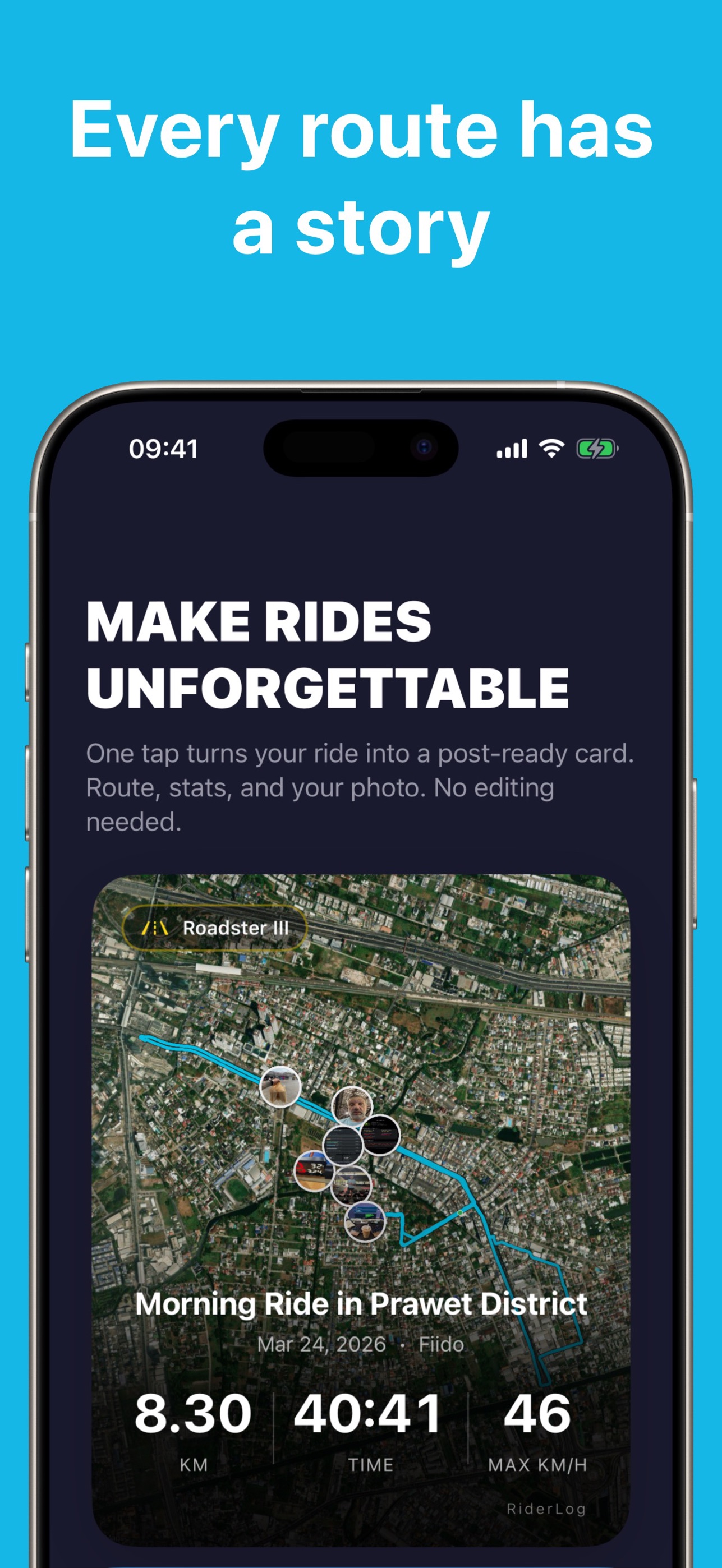
RiderLog saves the ride on your phone as it happens and recovers it if the phone dies mid trip. When iCloud is on, your history follows you to your next phone on its own.

Free to download. Your rides stay on your phone.
Can I recover a ride the app did not save?
Sometimes, and it is worth ten minutes before you accept the loss. Work through this in order. Look for a drafts, unsaved or recovery section in the app, which is often a separate list rather than a banner. Open the app's website on a computer and sign in, because several apps sync in the background and hold a copy you cannot see on the phone. Check whether the app wrote anything to Files on your iPhone. Check your photos: if you shot pictures at stops, every one carries a timestamp and a location, so even a lost track leaves you the shape of the day and the places you stopped, which is enough to rebuild the route by hand if it mattered. Finally, email the developer with the date, the rough start time and your account email, and ask whether a partial track exists on their side. Some will look. Do this before you delete and reinstall the app, because a reinstall is the one action that reliably destroys whatever local remnant was left.
The three ways a ride goes missing
The ride lived on a server. This is the most common and the most avoidable. The app buffers the track in memory or in a temporary file and only commits it when you press stop, at which point it needs a connection. Ride somewhere with thin coverage, which is most of the good roads, and the upload fails at exactly the moment the app considers the ride finished. Riders describe it the same way every time: the spinner, a message saying something went wrong, and nothing in the list afterwards. One review put it as "My saved rides have disappeared twice now", which is the version that makes people leave.
The app crashed while writing. If a recorder holds the whole ride in one object and writes it once, a crash during that write takes the lot. If it appends points to local storage as it goes, a crash costs you the last few seconds and the rest is already on disk. This difference is invisible in a feature list and decides everything on the day it matters.
The phone died. Eight hours of riding, a phone that started at seventy percent, a cold morning that flattens a battery faster than anyone expects. Nothing is inherently wrong with the app here. The question is only whether anything was written before the power went, and whether the app offers it back when you charge up and reopen it.
Why does a tracking app stop recording mid ride?
Usually iOS stopped it, not the app. Background location is a privilege the system can withdraw, and it does so when an app is not set up for continuous background use, when Low Power Mode changes what runs, or when the app is quietly killed under memory pressure with a bigger app in the foreground. Two settings fix most of it. Give the app Location access set to Always, not While Using, because While Using ends the moment the screen locks and you put the phone away. Turn off Low Power Mode for the ride, or better, start the day fully charged so you never reach for it. Then do not force quit the app from the app switcher before you ride, which people do out of tidiness and which tells iOS you are finished with it. The other half of the answer is the app's own design: some recorders genuinely do not hold a background session properly, and "Stops recording mid-trip" and "Never records the whole ride" are lines that recur in the reviews of apps where that is true. If you have set the permissions correctly and it still happens, it is not you.
What makes a recorder less likely to lose a ride?
Four things, and you can check three of them before you download anything.
- It writes locally while you ride. The track goes to the phone's own storage continuously, so there is always something to recover.
- It recovers after a hard stop. Crash, force quit, dead battery: reopen the app and the ride is offered back rather than silently discarded.
- It does not need a connection to finish a ride. Pressing stop should be a local operation. Anything that has to phone home to complete is a ride waiting to be lost in a valley.
- It exports. GPX per ride means the history is portable and backup is your decision, not a feature you rent. The GPX guide covers how that works.
In RiderLog
Rides are saved on your phone, and in your own private iCloud storage when iCloud is on, so they follow you to your next phone. If the phone dies mid trip, RiderLog recovers the ride. RiderLog's own servers only hold what you choose to share: a ride you post to friends, a check-in, a list, a place you add to the map. Every ride exports as GPX from the ride detail view.
What I will not claim
That RiderLog cannot lose a ride. Nobody can promise that honestly. Phones die in ways that leave nothing behind, iOS occasionally ends a background session for reasons nobody outside Apple can see, and any app can have a bad release. What I can describe is the architecture, because that is the part that decides how bad a failure is when it comes: local first storage that is being written the whole time you are moving, recovery when the app comes back, your own iCloud as the backup rather than my server, and an export button so you are never holding your riding history inside somebody else's business model.
A routine that costs nothing
Start recording before the helmet goes on, so it becomes part of the gear ritual rather than something you remember at the first junction. Put the phone in a pocket or tank bag with the screen locked, which is better for the recording, the battery and the camera stabiliser than a handlebar mount. Do not check it at every stop. Take photos, because they carry the day's location and time whatever happens to the track. Once a season, export the rides you care about and drop the files in cloud storage. Ten minutes, and the question on this page stops being able to hurt you. There is more of this in how to record motorcycle rides on iPhone.